
Transcripts vs. Captions vs. Subtitles: What's the Difference?
June 25, 2026 · 7 min read
Transcript, captions, subtitles, SRT, VTT. The words get used interchangeably, and most of the time nobody minds. They start to matter the moment you have to ask a tool for the right output or hand a file to an editor. Here is what each one means, how YouTube uses the terms, and which one you want for the job in front of you.
Transcript
A transcript is the full text of what was said in a recording, meant to be read on its own, away from the video. In its plainest form it is the words as prose. It may carry timestamps, and it may carry speaker labels, but neither is required. A court transcript, an interview transcript in a magazine, and the text on a LinkTranscript result page are all transcripts.
On YouTube, transcripts come from the caption track. There is no separate transcript file; a tool reads the captions, joins the cues, and lays them out for reading. That is why a video with no captions has no transcript, and why the accuracy of a transcript is the accuracy of the captions it came from.
Captions
Captions are text synchronized to the video and shown on top of it, made for viewers who cannot hear the audio. Because they stand in for the whole soundtrack, proper captions include the sounds that carry meaning, in brackets: [applause], [music], [door slams], [laughs]. Closed captions (the CC button) can be turned on and off; open captions are burned into the picture and cannot.
YouTube's automatic captions are captions in the loose sense. They are synchronized and they show on the video, but they contain only the speech, with no sound descriptions and almost no punctuation. Uploaded captions can have all of it, depending on how much care the creator took.
Subtitles
Subtitles are also text synchronized to the video, but they assume the viewer can hear and mostly needs the words, often in a different language from the one spoken. A French film with English text at the bottom has subtitles. Subtitles skip the sound descriptions because the viewer hears the door slam.
In everyday use, and on YouTube's own menus, "subtitles" and "captions" are one thing: the player's menu is labeled "Subtitles/CC," and creators upload one kind of track that serves as both. The distinction matters mainly to accessibility professionals and to broadcasters, who are required to deliver the captioned kind.
SRT and VTT: the file formats
SRT (SubRip Text) and VTT (WebVTT) are not kinds of text. They are file formats that hold timed text, whether you call it captions or subtitles. Each entry, called a cue, has a start time, an end time, and a line or two of text. SRT is the older format and every video editor reads it. VTT is the format HTML5 video players use, and it allows a little styling and positioning that SRT does not. The two are close enough that converting between them is mechanical, and the SRT versus VTT guide has the details, the tool-by-tool list, and the fixes for the usual problems.
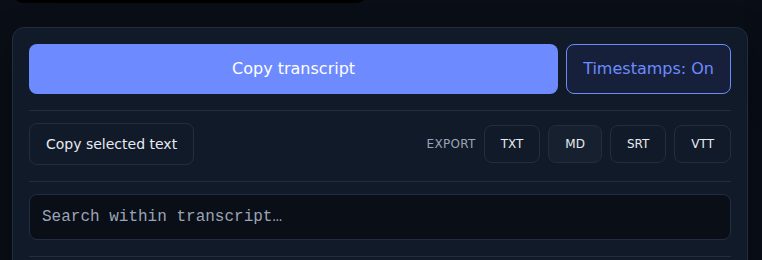
A short version of all four:
- Transcript: the words, for reading. Export as TXT or Markdown.
- Captions: timed text on the video that stands in for the whole soundtrack, sounds included.
- Subtitles: timed text on the video for viewers who can hear, often a translation.
- SRT and VTT: the file formats that hold timed text of either kind.
Which one you need
If you want to read, quote, search, study, or paste the words somewhere, you want a transcript. Export TXT for plain text, or Markdown if it is going into a notes app; both put the video title, the source link, the language, and the date at the top, and both can carry timestamps or not depending on the toggle when you export.
If you are editing video, embedding a player on a site, or uploading to a course platform, you want a caption file. Export SRT for editors and most desktop players, VTT for web players and learning platforms. The timings come from YouTube's own cues, so they line up with the video as YouTube plays it.
The convenient part is that all four come from the same caption track, so you do not have to decide up front. Get the transcript once and export whichever format the next tool asks for.
Questions that come up
Can I turn captions into a transcript? Yes, and that is what a transcript tool does: it reads the caption track and lays the cues out as text. With timestamps off, the TXT export joins the cues into prose.
Can I turn a transcript into captions? Only if the transcript has timings. A plain text transcript has no idea when each line was said, so it cannot become an SRT without someone aligning it to the audio. If the text came from YouTube captions in the first place, skip the round trip and export SRT or VTT from the video link.
Are YouTube's automatic captions captions or subtitles? Technically neither in the strict sense: they are a speech-only track with no sound descriptions and no translation. In practice they serve as both, and they are the source of most transcripts on the web.
Why does my transcript have odd line breaks? Because it came from cues. Automatic captions are cut at fixed lengths rather than at sentence boundaries, so a line can end mid-phrase. Uploaded captions usually break at phrases. The auto-generated versus uploaded guide explains how to tell which you have and what each gets wrong.
Do transcripts include who is speaking? Only if the captions do. YouTube's automatic track never labels speakers, and most uploaded tracks do not either. If you are sharing a transcript of a conversation, add the labels yourself; the accessibility guide covers what a transcript needs before it is useful to someone reading instead of watching.
Try it on a video
Paste a YouTube link and get a clean, exportable transcript in seconds.