
How LinkTranscript Works, and What It Costs to Run
September 7, 2026 · 8 min read
People ask two versions of the same question. The polite one is "how does this work?" The suspicious one is "what's the catch?" Both deserve the same answer, so here is the whole path from the paste box to the transcript, with the costs and the limits included.
Where the words come from
LinkTranscript does not listen to the video. YouTube already has the words. For most public videos there is a caption track, either uploaded by the creator or generated by YouTube's speech recognition, and the player uses it for the CC button and the "Show transcript" panel. LinkTranscript reads that same track and lays it out as a page you can search, copy, and export.
Two consequences follow. If a video has no caption track, there is no transcript, and the tool says so instead of guessing. And the accuracy of what you read is the accuracy of the captions: an uploaded track reads like an edited document, an automatic one has mangled names and almost no punctuation. The auto-generated versus uploaded guide covers how to tell which you got.
What happens when you paste a link
Step one is on your device. The page checks that what you pasted is a YouTube link (a watch URL, a youtu.be short link, a Shorts link, or an embed link all work) and pulls out the eleven-character video ID. Anything else gets a message before any request is sent.
Step two is the cache. The server keeps recently requested transcripts for up to thirty days, keyed by video ID and caption language. If someone asked for the same video last week, you get that copy in well under a second and nobody pays for a second fetch. The cache holds the transcript and nothing about who asked for it.
Step three, on a miss, is the fetch. YouTube blocks caption requests that come from cloud data centers, which is where this site runs, so the server cannot ask YouTube the way your browser can. It goes through a caption service that specializes in exactly this and charges per video. At the plan we are on, it comes to about a quarter of a cent per transcript. Multiply that by a few thousand transcripts a month and it is the main variable cost of the site.
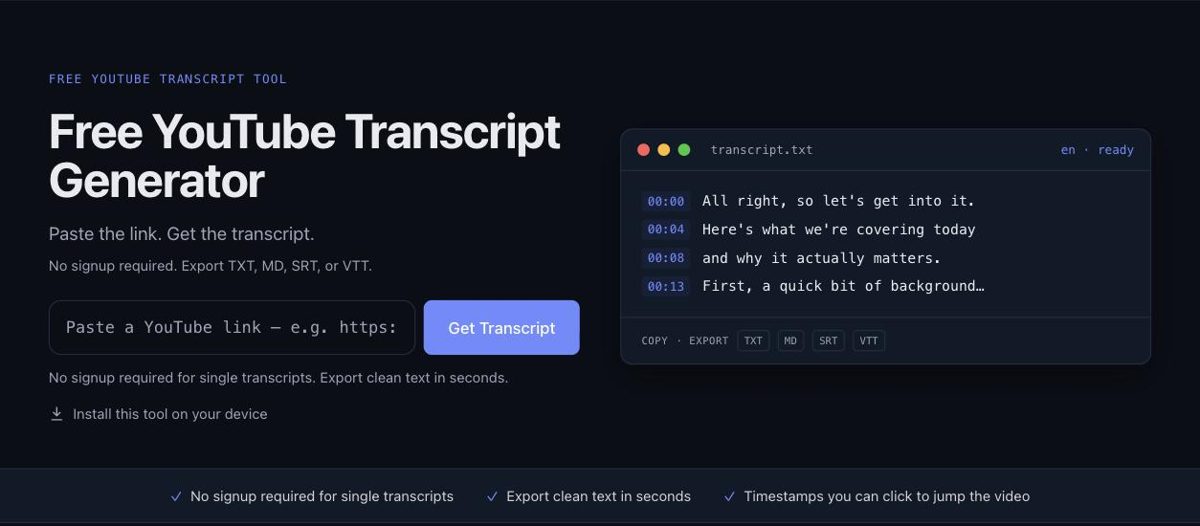
Step four is cleanup. The raw track arrives as a list of cues with start times and durations. The server tidies the spacing and the escaped characters, counts words, estimates reading time, and records the language. Then it sends the result to your browser, where the transcript renders beside an embedded player. Clicking any timestamp seeks the player to that second.
Languages and exports
You get one caption track per video, in whatever language the video serves by default, and that language is shown in a chip beside the word count. The tool does not translate; for a video's other tracks, YouTube's own caption menu is the place to look. Exports (TXT, Markdown, SRT, and VTT) carry the video title, the source link, the language, and the date they were generated, so a file you saved months ago still says where it came from.
The limits, and why they exist
Every transcript that misses the cache costs money, so there is a fair-use limit per visitor per hour and per day, and a ceiling for the whole site per day. The per-visitor numbers are set high enough that a person reading transcripts all afternoon never sees them. They exist for scripts.
We learned that the hard way. In late July, more than half of the requests in one week came from automated scripts hitting the result page in a loop, and they drained the month's caption budget in about two days. Real visitors got an error until we topped up. Since then the result page and the transcript endpoint sit behind a Cloudflare check, which is why some visitors see a brief verification screen the first time. It stops the loops, and it is the reason the site has stayed up since.
If you do hit a limit, the message tells you when to try again. Cached videos never count against it, so re-opening a transcript you already fetched is always free.
What it costs to run
The bill has three parts. Hosting is a fixed monthly amount and would be about the same at ten times the traffic. The domain is a fixed yearly amount. The caption service is the variable part, and it grows with every transcript that is not already cached. At the current volume of a few thousand transcripts a month, the whole site runs on tens of dollars a month, and the caption fee is the line that moves.
That covers the business model. The site is free, there are no accounts, and there is no paid tier. It is supported by advertising, placed beside and below the transcript, never as a gate in front of it and never as a popup. If an ad ever gets in the way of reading, that is a bug; tell us.
What is stored, and what is not
The video link you paste is used to fetch the transcript and, on a cache miss, is the only thing sent to the caption service. The transcript is cached for up to thirty days under the video ID, shared with everyone who asks for the same video. Nothing ties a cached transcript to you.
The server keeps ordinary access logs (IP address, time, and which page) for abuse handling and debugging, and the site runs Google Analytics for aggregate counts: how many people visited, which pages, which buttons get used. None of that includes transcript text.
The Prompts menu and the Open in ChatGPT button copy text to your clipboard and, for ChatGPT, open a new tab. LinkTranscript itself never sends a transcript to any AI service. What you paste into an assistant is between you and that assistant.
The line we will not cross
LinkTranscript is not a downloader. There is no way to save video or audio here, and there will not be one. Captions are text that YouTube already serves to every viewer; a video file is the creator's work, and taking it is a different thing. The same reasoning applies to the transcript itself: it belongs to whoever made the video. Quote it, cite it, link back, and ask before republishing someone's whole talk.
If you want to see all of this without spending a fetch, the example page shows a real transcript with every control working. Paste your own link on the home page when you are ready.
Try it on a video
Paste a YouTube link and get a clean, exportable transcript in seconds.